
Stock Status:
Condition: New
SKU : 3537M63
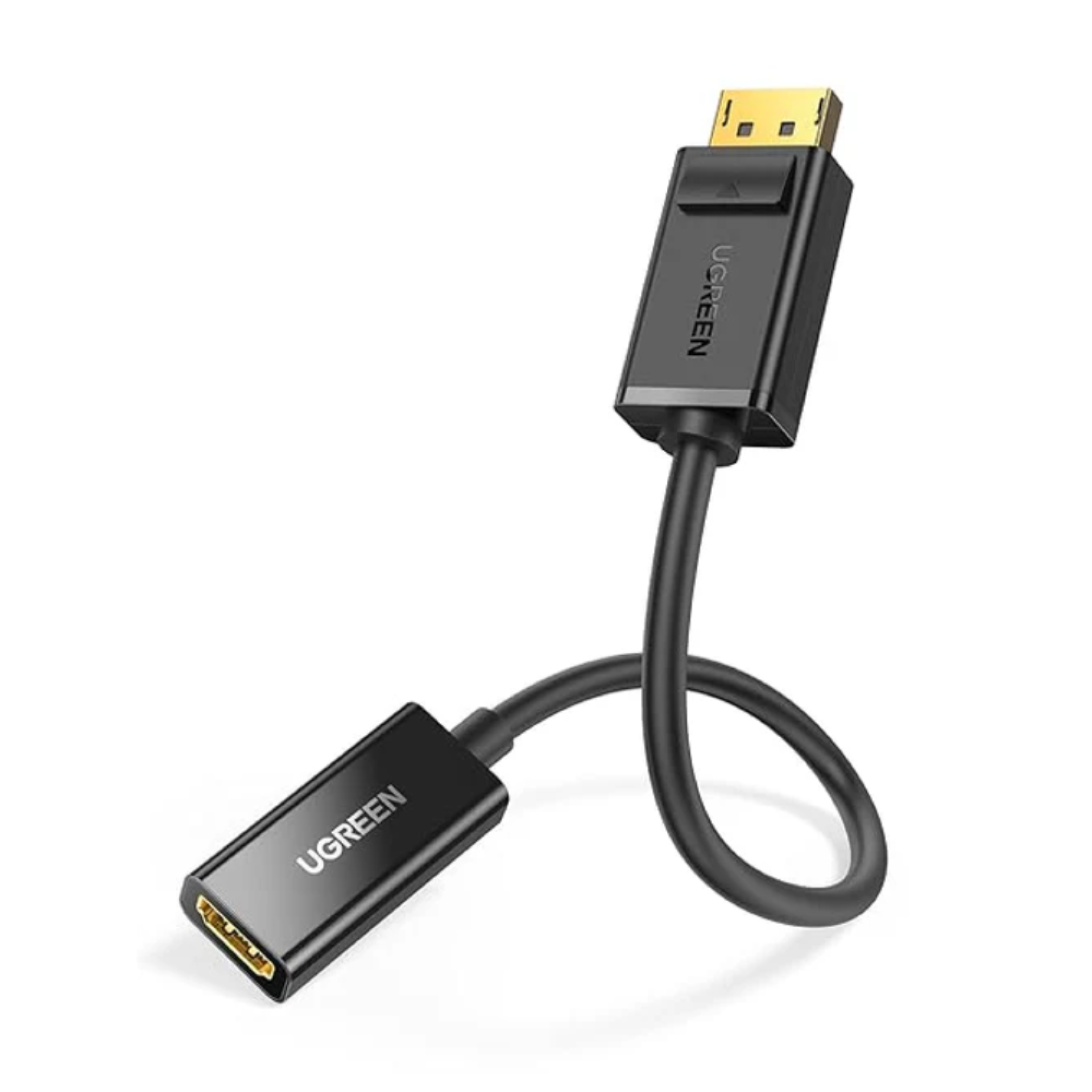
DisplayPort to HDMI Conversion: Connects a computer with a DisplayPort output to an HDMI-enabled monitor, TV, or projector.
Full HD Resolution: Supports video output up to 1920 × 1080, with refresh rate support depending on the specific model and connected devices.
Audio and Video Transmission: Transfers compatible digital audio and video through a single HDMI connection.
Plug-and-Play Operation: Designed for straightforward setup without additional drivers.
Secure DisplayPort Connector: Features a DisplayPort male connector with a latch for a secure connection.
Compact and Portable: Easy to carry for office, home, classroom, and travel use.
Mirror and Extended Display: Supports compatible display configurations for presentations and multitasking.
Broad Compatibility: Works with compatible desktop computers, laptops, and graphics cards with full-size DisplayPort output.
The UGREEN MM137 DP to HDMI Female Converter 1080p is a practical display accessory for connecting a computer with a DisplayPort output to an HDMI-enabled monitor, television, or projector. It converts the DisplayPort signal into an HDMI connection, making it useful when setting up a workstation, extending a laptop display, or connecting a desktop computer to a larger screen. Its compact design makes it convenient for everyday use at home, in offices, and during presentations. An HDMI cable is required to connect the converter to the display and is generally purchased separately.
|
Product |
Price in Kenya |
|---|---|
|
UGREEN MM137 DP to HDMI Female Converter 1080p |
KSh 1,250 – KSh 6,250 |
|
Specification |
Details |
|---|---|
|
Brand |
UGREEN |
|
Model |
MM137 |
|
Product Code |
40362 |
|
Product Type |
DisplayPort to HDMI converter |
|
Input Connector |
DisplayPort male |
|
Output Connector |
HDMI Type-A female |
|
Maximum Resolution |
Up to 1920 × 1080 (1080p) |
|
Audio Support |
Compatible digital audio transmission |
|
Display Modes |
Mirroring and extended display, depending on the source device |
|
Installation |
Plug and play |
|
External Power |
Generally not required |
|
Connector Design |
DisplayPort latch connector |
|
Colour |
Black |
|
Compatibility |
Computers and graphics cards with compatible full-size DisplayPort output |
|
Required Accessory |
HDMI male-to-male cable, sold separately |
Clear Full HD Display: Suitable for everyday computer work, web browsing, video playback, and presentations on compatible 1080p screens.
Convenient Audio and Video: Allows supported audio and video signals to travel through the HDMI connection, reducing the need for separate audio cables.
Reliable Everyday Connectivity: Provides a practical connection between DisplayPort-equipped computers and HDMI displays.
Productivity Support: Helps users set up an additional screen for multitasking, documents, spreadsheets, and other office applications.
Resolution Considerations: The connected computer and display must support the intended resolution and refresh rate.
Desktop Computers: Connect compatible DisplayPort-equipped desktops to HDMI monitors.
Laptops and Workstations: Use with laptops or workstations that provide a full-size DisplayPort output.
Monitors: Connect to compatible HDMI monitors for office work and general computing.
Televisions: Display computer content on an HDMI-enabled television.
Projectors: Use for presentations in classrooms, offices, and meeting rooms.
Important Compatibility Note: This converter works from DisplayPort to HDMI. It does not convert an HDMI output into a DisplayPort input, and it is not designed for USB-C or Mini DisplayPort ports.
Step 1: Locate the full-size DisplayPort output on your computer or graphics card.
Step 2: Insert the converter's DisplayPort male connector into the computer's DisplayPort port.
Step 3: Connect an HDMI male-to-male cable to the converter's HDMI female port.
Step 4: Connect the other end of the HDMI cable to your monitor, television, or projector.
Step 5: Select the correct HDMI input on the display.
Step 6: Configure the computer's display settings to mirror or extend the screen as required.
|
Pros |
Cons |
|---|---|
|
Supports Full HD video output |
Does not support reverse HDMI-to-DisplayPort conversion |
|
Transmits compatible digital audio and video |
Requires a separate HDMI cable |
|
Compact and easy to carry |
Not suitable for USB-C or Mini DisplayPort connections |
|
Plug-and-play convenience |
Maximum resolution is limited to the specified model capability |
|
Useful for office and presentation setups |
Requires compatible DisplayPort and HDMI ports |
Office Professionals: Suitable for connecting desktop computers to HDMI monitors for everyday work.
Students and Teachers: Useful for connecting compatible computers to classroom projectors and displays.
Home Users: A convenient option for viewing computer content on an HDMI television.
Presenters: Helps connect DisplayPort-equipped computers to HDMI presentation screens.
Workstation Users: Useful for compatible setups that require a DisplayPort-to-HDMI connection.
The UGREEN MM137 DP to HDMI Female Converter 1080p is a compact and convenient accessory for connecting DisplayPort-equipped computers to HDMI monitors, televisions, and projectors. With Full HD video support, compatible audio transmission, and simple installation, it is suitable for home, office, and presentation use. Before purchasing, confirm that your device has a full-size DisplayPort output and that your display has an HDMI input. Remember to obtain a separate HDMI cable for the connection
Copyright © 2026 Powered By Rondamo - All Rights Reserved.