About Solid State Drives (SSD) confirm
Solid State Drives (SSD) Overview
Solid State Drives (SSDs) are high-speed storage devices designed to store operating systems, applications, documents, photos, videos, and other digital files. Unlike traditional hard disk drives (HDDs), SSDs use flash memory and have no moving mechanical parts. This allows them to deliver faster data access, quicker boot times, improved application loading, and quieter operation.
SSDs are suitable for laptops, desktop computers, workstations, and compatible external storage setups. Whether you want to upgrade an older computer, improve system responsiveness, or expand your storage capacity, choosing the right SSD can make a significant difference in everyday computing. At camera giants, customers in Kenya can explore SSD options for personal use, business computing, gaming, and professional workloads.
Solid State Drives (SSD) Price in Kenya
The price of Solid State Drives in Kenya depends on storage capacity, interface, form factor, read and write speeds, brand, and intended use. Smaller-capacity SSDs can suit basic computing needs, while higher-capacity drives are useful for gaming libraries, large applications, creative projects, and extensive file storage.
SATA SSDs and NVMe SSDs also differ in performance and compatibility. Customers should compare the specifications of available drives and confirm that their computers support the selected SSD before purchasing.
Types of Solid State Drives
SSD technology is available in several formats to accommodate different devices and storage requirements. SATA SSDs commonly use a 2.5-inch form factor and can upgrade computers with compatible drive bays. M.2 SSDs use a compact card-shaped design, although not every M.2 drive uses the same interface. NVMe SSDs communicate through PCIe and can offer substantially higher transfer speeds than SATA drives when supported by the computer.
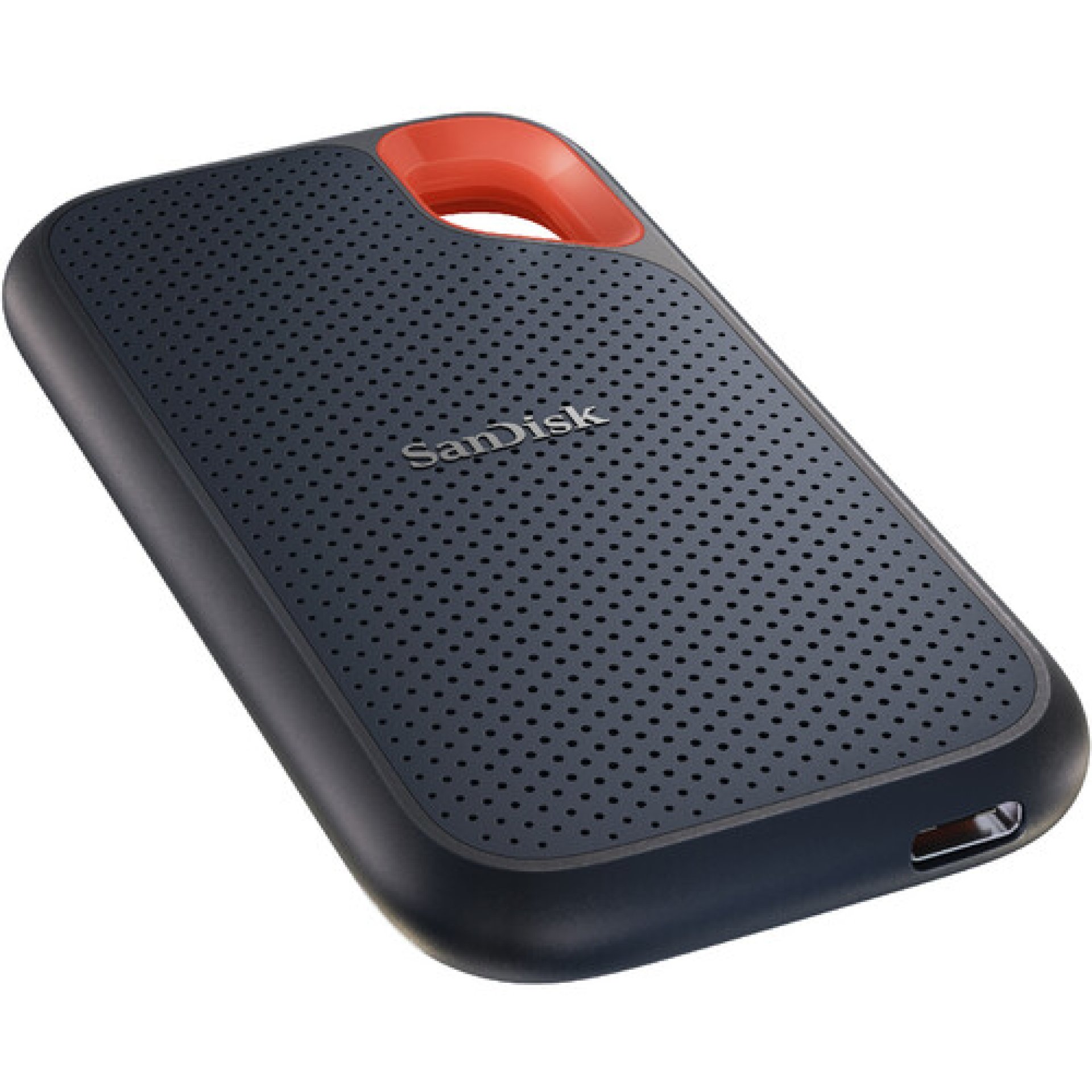
External SSDs provide portable storage through interfaces such as USB, making them useful for backups, transferring large files, and working across compatible devices.
SATA SSDs
SATA SSDs are popular upgrades for desktop computers and laptops that support SATA storage. They can provide faster boot times, quicker application launches, and improved responsiveness compared with many traditional hard drives. Their performance is limited by the SATA interface, but they remain practical for everyday computing and older compatible systems.
M.2 NVMe SSDs
M.2 NVMe SSDs are compact storage devices designed for compatible M.2 slots that support NVMe over PCIe. They can deliver high sequential transfer speeds and responsive performance for demanding applications, gaming, software development, and professional content creation.
Before buying an M.2 NVMe SSD, check the motherboard or laptop specifications for supported interface, drive length, PCIe generation, and capacity limits.
External Solid State Drives
External SSDs offer portable storage for documents, multimedia files, backups, and large project folders. They connect through compatible USB or other supported interfaces and are useful for users who need to move files between computers or keep additional data storage close at hand.
When choosing an external SSD, consider its capacity, connection speed, physical durability, dimensions, and compatibility with the intended computer or mobile device.
SSD Storage Capacities
SSD capacities range from smaller drives intended for basic computing to high-capacity options designed for extensive data storage. A 256GB SSD may suit lightweight use, while 512GB and 1TB drives provide more room for applications, documents, and multimedia. Capacities of 2TB or more can be useful for large game libraries, video projects, professional workloads, and extensive personal files.
The appropriate capacity depends on the operating system, applications, file sizes, and expected future storage needs.
SSD Performance and Speed
SSD performance is influenced by the storage interface, controller, flash memory, drive design, and workload. NVMe SSDs generally offer higher transfer speeds than SATA SSDs, particularly during large file transfers and demanding operations. Random read and write performance can also affect application responsiveness and multitasking.
Advertised speeds represent specific test conditions, so actual performance may vary depending on the computer, operating system, available PCIe bandwidth, drive temperature, and workload.
Benefits of Upgrading to an SSD
Installing an SSD can improve the responsiveness of a compatible computer, reduce startup times, speed up application loading, and make file access more efficient. SSDs also operate silently because they have no spinning platters or moving read heads. Their resistance to mechanical shock can be useful in portable computers, although SSDs can still be damaged by physical impact, electrical faults, or other failures.
An SSD upgrade can be especially noticeable when replacing an older mechanical hard drive in a laptop or desktop computer.
SSDs for Gaming and Professional Work
SSDs can help games load faster and reduce waiting times when launching applications or opening large files. For creative professionals, faster storage can support workflows involving video footage, high-resolution images, audio projects, and large datasets. NVMe SSDs may offer advantages in workloads that benefit from high throughput and low latency.
The overall experience also depends on the processor, memory, graphics hardware, software, and other components of the computer.
SSD Compatibility with Laptops and Desktops
Not every SSD fits every computer. Before purchasing, confirm whether the device supports a 2.5-inch SATA drive, M.2 SATA SSD, or M.2 NVMe SSD. For M.2 drives, verify the physical length and supported interface. Some laptops have soldered storage or limited upgrade options, while some desktop motherboards provide multiple storage slots with different capabilities.
Checking the computer's manual or manufacturer specifications can help prevent compatibility issues.
How to Choose the Right SSD
Selecting an SSD involves balancing storage capacity, performance, compatibility, reliability, and budget. Consider the type of files being stored, the applications being used, and whether the drive will serve as the primary system drive or as additional storage. Users who frequently transfer large files may benefit from faster NVMe or external SSD options, while users upgrading older computers may find SATA SSDs suitable.
It is also useful to check the manufacturer's stated endurance rating, warranty terms, and available data migration tools before making a purchase.
SSD Maintenance and Data Protection
SSDs generally require little routine maintenance, but regular backups remain essential. Users should keep important files in a separate backup location, maintain adequate free storage space, and install relevant firmware updates according to the manufacturer's guidance. Modern operating systems commonly support SSD maintenance features such as TRIM, which helps the drive manage unused data blocks.
Because any storage device can fail, an SSD should not be treated as a substitute for a reliable backup strategy.
Why Choose camera giants
camera giants helps customers in Kenya explore storage solutions for laptops, desktop computers, gaming systems, and professional workstations. Customers can compare SSD formats, capacities, interfaces, and performance specifications to identify storage products suited to their devices and intended workloads.
Meta Keywords
Solid State Drives Kenya, SSD price in Kenya, SSD drives Kenya, NVMe SSD Kenya, SATA SSD Kenya, M.2 SSD Kenya, external SSD Kenya, 1TB SSD Kenya, 512GB SSD Kenya, laptop SSD upgrade Kenya, desktop SSD Kenya, computer storage Kenya, camera giants.
Conclusion
Solid State Drives provide fast, quiet, and efficient storage for modern computing. Whether you need to upgrade a laptop, improve desktop performance, store large files, or support gaming and professional applications, the right SSD can improve your computing experience. By checking compatibility, capacity, interface, performance, and reliability, customers can choose an SSD that meets their storage needs. camera giants helps customers explore SSD options in Kenya for home, office, and professional use.